 New products
 Home audio
 Audio components
 Crossover components
 Test & measurement
 DIY kits
 Accessories
 SALE
 New products
 Speakers
 Amplifiers
 DAC converters
 DSP modules
 Turntables
 Streamers
 Woofers
 Tweeters
 Exciters
 Bass shakers
 Plate amplifiers
 Amplifier modules
 Single board computers
 Assembled crossovers
 Printed Circuit Boards (PCB)
 Capacitors
 Resistors
 Coils
 Circuit Breakers
 Crossover tools
 Screw terminals
 Acoustic measurements
 Electric measurements
 Sound level meters
 DIY amplifier kits
 DIY component packs
 DIY speaker kit
 DIY subwoofer kits
 DIY bluetooth speaker
 DIY electronics kits
 Binding posts
 Cabinet Hardware
 Cables
 Connectors
 Speaker cabinets
 Electromechanics
 Power supplies
 Speaker repair
 Workshop & tools
 Amplifier accessories
 Stands & mounts
 Gift voucher
 Books
 SALE










 New products
 Speakers
 Amplifiers
 DAC converters
 DSP modules
 Turntables
 Streamers
 Woofers
 Tweeters
 Exciters
 Bass shakers
 Plate amplifiers
 Amplifier modules
 Single board computers
 Assembled crossovers
 Printed Circuit Boards (PCB)
 Capacitors
 Resistors
 Coils
 Circuit Breakers
 Crossover tools
 Screw terminals
 Acoustic measurements
 Electric measurements
 Sound level meters
 DIY amplifier kits
 DIY component packs
 DIY speaker kit
 DIY subwoofer kits
 DIY bluetooth speaker
 DIY electronics kits
 Binding posts
 Cabinet Hardware
 Cables
 Connectors
 Speaker cabinets
 Electromechanics
 Power supplies
 Speaker repair
 Workshop & tools
 Amplifier accessories
 Stands & mounts
 Gift voucher
 Books
 SALE


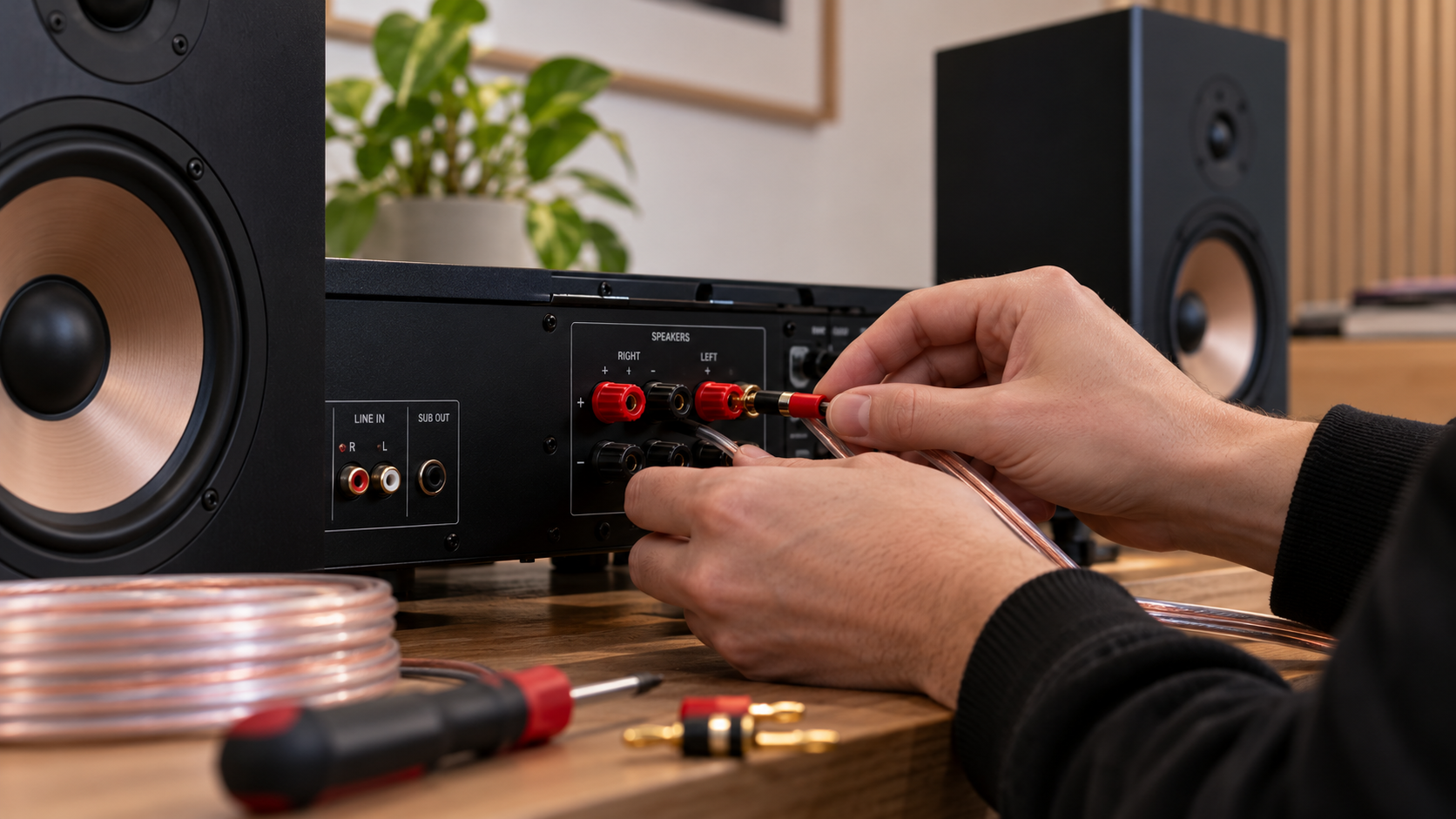
7 Speaker connection mistakes that could be ruining your sound
You've connected your speakers, put on your favourite song and expect great sound. Instead, the bass sounds weak, you hear distortion or there's no sound coming from your speakers at all. Small mistakes when connecting speakers to an amplifier can have a big impact. Is the problem with the amplifier, the cables or the speakers themselves?
A problem with your audio system doesn't necessarily mean something is broken. Sometimes, the cause is an incorrectly connected cable, incompatible equipment or an overlooked setting. Let's look at seven common speaker connection mistakes, based on the problems you might actually experience.
Your speakers work, but the bass sounds surprisingly weak
Imagine this: both speakers are working and the music sounds clear, but the low frequencies are missing. Even when you turn up the volume, the full bass response you expected just isn't there.
One possible cause is reversed polarity on one of the speakers. On the back of your amplifier and speakers, you'll usually find a red (+) and black (-) terminal. These indicate polarity.

When one speaker is connected with reversed polarity compared to the other, the speaker cones move in opposite directions when reproducing the same signal. This can cause certain sound waves to partially cancel each other out, especially at low frequencies. It can also affect the stereo image.
Mistake 1: reversing the polarity of one speaker.
Check that the red terminal on the amplifier is connected to the red terminal on each speaker, and that the same applies to the black terminals. Ideally, use speaker cable with a visible marking on one conductor so you can easily identify the correct connection at both ends.
The sound cuts out or you hear crackling
You're halfway through a song when the sound suddenly disappears. Or perhaps you hear crackling whenever you touch a cable. In that case, it's worth checking the connections first.
A speaker cable should be securely connected, without loose copper strands sticking out of the terminal. A poor connection can interrupt the signal. If exposed strands touch each other or another terminal, they can even cause a short circuit.
Cable thickness also matters. A thin cable has more electrical resistance than a thicker cable made from the same material. Particularly with longer cable runs and low-impedance speakers, this can lead to unnecessary power loss.
Mistake 2: using unsuitable or poorly connected speaker cables.
For many short cable runs in a home audio system, 1.5 mm² copper cable is sufficient. For longer distances or heavier loads, 2.5 mm² may be more suitable. The correct thickness depends on cable length, impedance and application.
Switch off the amplifier before checking the connections. Make sure the conductors are firmly secured and that no loose copper strands are exposed. Banana plugs or other suitable connectors can make installation easier, provided your equipment supports them.
Your amplifier gets unusually hot
It's normal for an amplifier to become warm during use. However, if it becomes excessively hot, shuts itself down or repeatedly enters protection mode, something else may be wrong.
An important factor is speaker impedance, measured in ohms (Ω). Speakers commonly have a nominal impedance of 4, 6 or 8 ohms. The lower the impedance, the more current an amplifier generally needs to deliver at the same output voltage.
Not every amplifier is suitable for every load. This is particularly important when connecting multiple speakers to a single amplifier channel, as the combined impedance may be lower than expected.
Mistake 3: failing to check speaker impedance.
Always check the minimum supported speaker impedance in your amplifier's specifications. If an amplifier is designed for speakers with an impedance of at least 8 ohms, don't simply connect a 4-ohm speaker.
When connecting multiple speakers, the wiring configuration also matters. Two nominal 8-ohm speakers connected in parallel form a nominal 4-ohm load, while connecting them in series results in 16 ohms. Actual speaker impedance varies with frequency.
Everything is connected, but there's no sound
Not every audio output can drive a passive speaker. An RCA connection or line output might look like a logical place to connect a cable, but it generally cannot deliver enough power to drive a passive loudspeaker directly. This is where the difference between active and passive speakers becomes important.
An active speaker has a built-in amplifier. It usually receives a line-level audio signal and amplifies it internally. A passive speaker requires an external amplifier.
Mistake 4: connecting a passive speaker to an unsuitable output.
First, check which type of speaker you have. Connect passive speakers to the dedicated speaker outputs of a suitable amplifier. Active speakers should be connected to an appropriate signal output.
Important: never connect the standard line-level input of an active speaker directly to an amplified speaker output unless the manufacturer explicitly states that this is supported.
You turn up the volume, but the sound only gets worse
More power doesn't automatically mean better sound. Yet many people focus mainly on wattage when matching speakers and amplifiers.
A speaker rated to handle 80 watts can, under certain conditions, work perfectly well with an amplifier capable of delivering 100 watts per channel. What matters is how much power is actually delivered and what the speaker can safely handle under those conditions.
The opposite can also cause problems. A less powerful amplifier can produce distortion when pushed beyond its limits. This is known as clipping: the peaks of the audio signal are flattened, creating distortion. Prolonged overdriving can damage speakers.
Mistake 5: focusing only on wattage.
Compare the amplifier's output power at your speakers' impedance and check the loudspeakers' recommended amplifier power and power handling. Also consider your listening room and preferred volume. If you hear obvious distortion, reduce the volume. It may be a sign that your system is operating beyond its comfortable limits.
You quickly swap a cable while the music is playing
Trying another speaker or replacing a cable might seem like a small task. However, it's best to switch off the amplifier first.
During the process, exposed cable ends may accidentally touch each other. This can cause a short circuit and trigger the amplifier's protection system. Not every amplifier offers the same level of protection.
Mistake 6: connecting speaker cables while the amplifier is switched on.
Make it a habit to switch off the amplifier completely before connecting, disconnecting or replacing speaker cables. Check the connections and switch the system back on with the volume turned down. It takes very little extra time and helps prevent unnecessary risks.
Everything is connected correctly, but the sound still disappoints
Sometimes, the problem isn't related to the cables or amplifier at all. Your equipment may be connected correctly, yet the sound still doesn't meet your expectations.
Speaker placement has a significant impact on what you hear. Positioning a speaker close to a wall can increase bass output. Placing it in a corner may emphasise this effect even further. Unequal distances from the listening position or an asymmetrical arrangement can also affect stereo imaging.
Mistake 7: underestimating speaker placement.
Try to position both speakers at approximately the same distance from your listening position. Experiment with their distance from the rear and side walls, and listen to what changes when you angle them slightly towards your seat.
You don't necessarily need new equipment. Sometimes, a small adjustment in placement can make an audible difference.
Quick troubleshooting: where should you start?
Not sure what's causing the problem? Use this overview as a starting point.
| What do you notice? | Possible cause | What should you check? |
|---|---|---|
| Weak bass and unclear stereo image | Reversed polarity on one speaker | Red and black terminals |
| Crackling or intermittent sound | Poor cable contact | Speaker cables and connectors |
| Amplifier becomes very hot | Unsuitable impedance or load | Impedance ratings and specifications |
| No sound from passive speakers | Incorrect output | Speaker type and amplifier connections |
| Distortion at higher volume | Overdriving or clipping | Power ratings and volume level |
| Problems after changing cables | Short circuit or incorrect connection | Connections with equipment switched off |
| Disappointing sound despite correct connections | Speaker placement or room acoustics | Distance, direction and positioning |
These are possible causes, not definitive diagnoses. A problem may have more than one cause.
A good connection starts with the right combination
Connecting speakers isn't just about knowing which cable goes where. Your amplifier, speaker impedance, cables and connections need to work together. By checking the specifications beforehand and taking your time, you can prevent many common problems.
Building a new audio system or improving your existing setup? At SoundImports, you'll find amplifiers, speaker cables and connectors for a wide range of DIY audio projects. This makes it easier to choose components that suit your speakers and application.